Watch together.Listen together.
Start a free watch party with synced playback for YouTube, Twitch, and more — no sign-up needed.
Free to use. No sign-up. No extension.
A watch party starts with three steps
Open Cliqroom in your browser. Create a room, choose a video, and invite your friends.
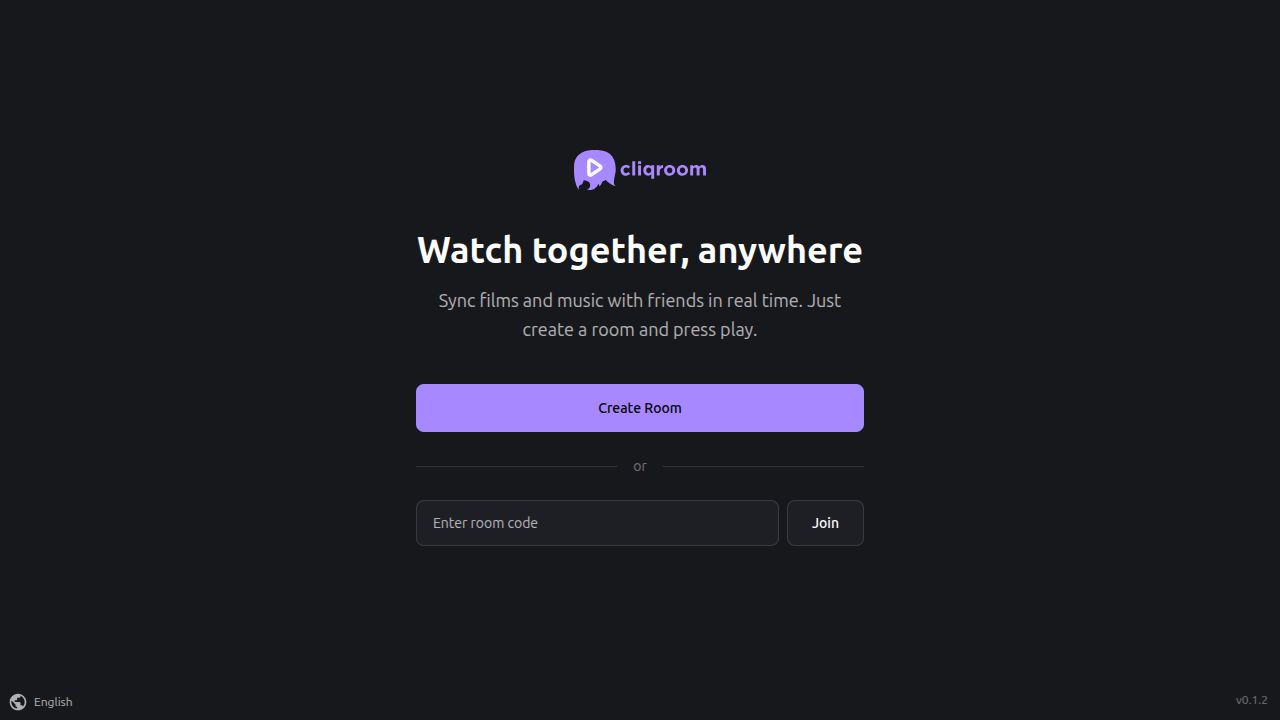
Create your room
Choose Create room in the Cliqroom app. You do not need a Cliqroom account or a browser extension.
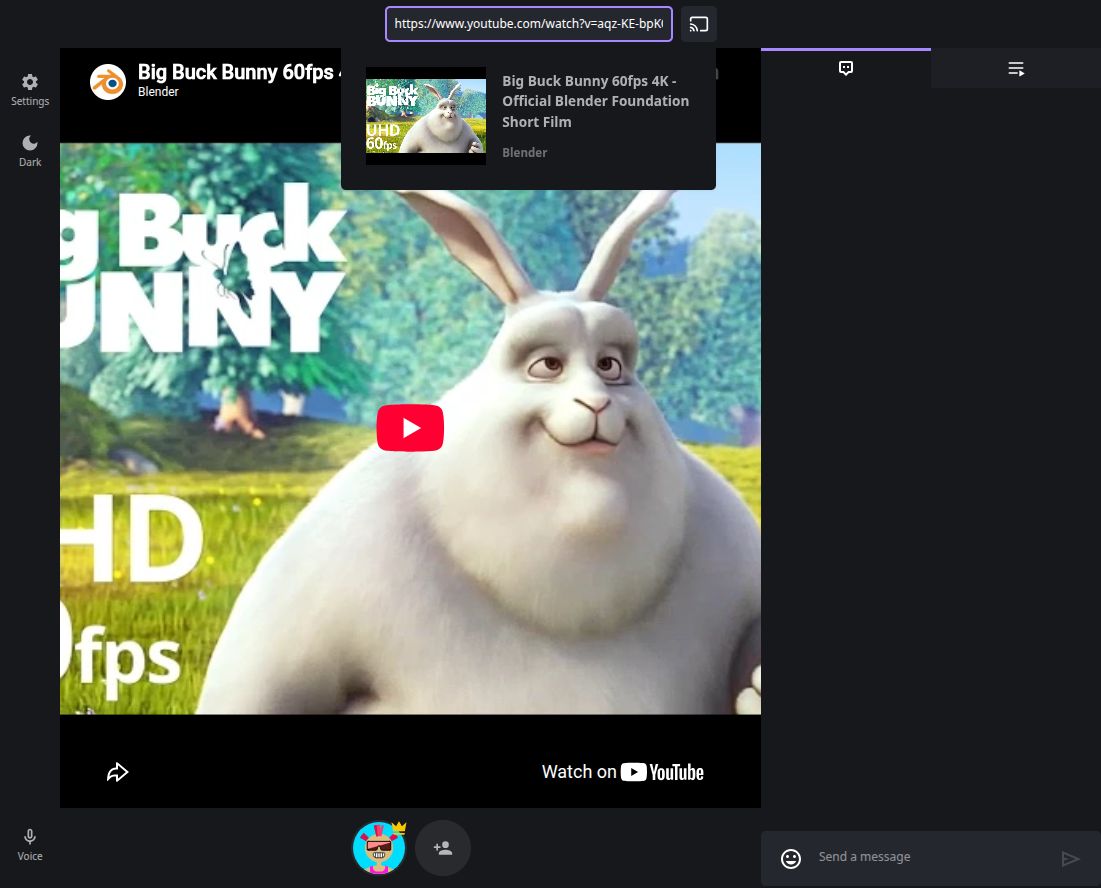
Add a video or track
Paste a supported media link and select its preview to add it to the queue. Try a public YouTube video for your first watch party.
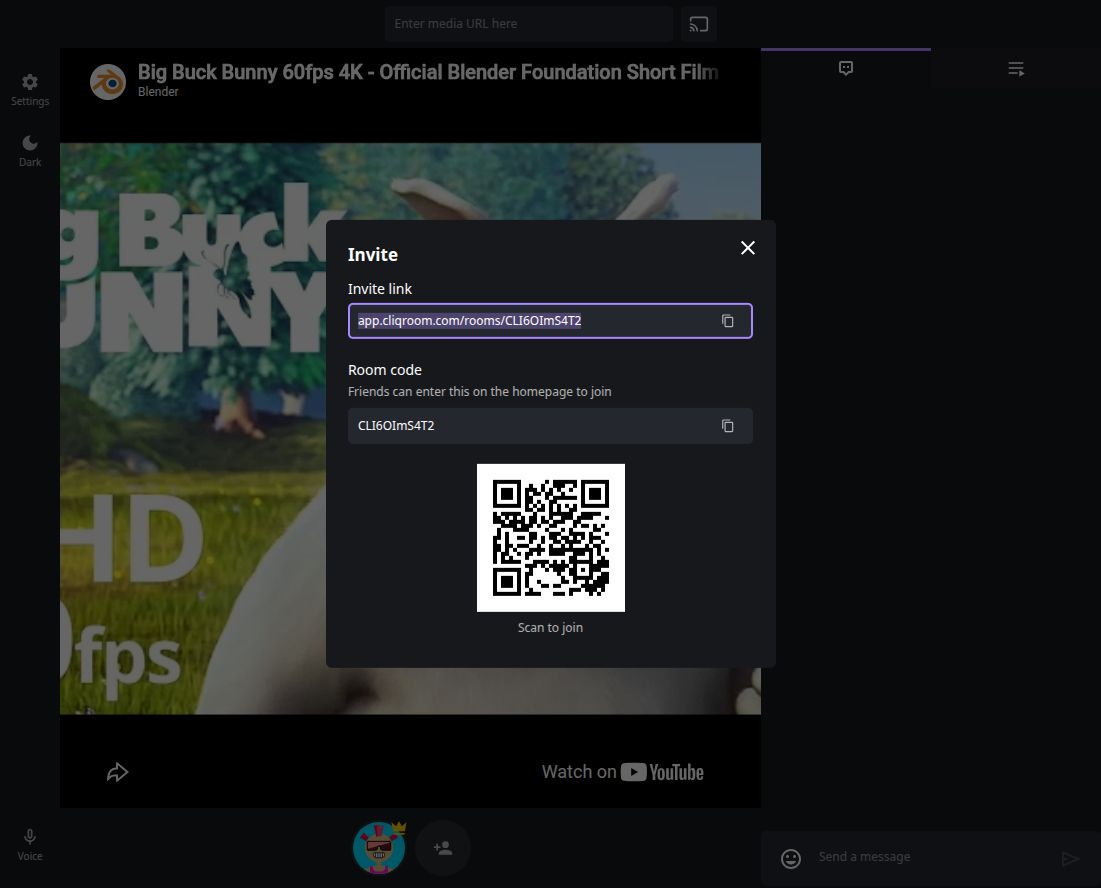
Share the room link
Copy the link from the invite dialog and send it to your friends. Check that everyone can play the video, then watch and chat together.
Watch videos and listen to music together
Queue YouTube videos, follow a Twitch stream, or trade SoundCloud tracks. Your friends join the same room link.
YouTube, Twitch, Vimeo, Dailymotion, and SoundCloud.
Netflix and Disney+ are not native players. Spotify playback is currently unavailable.
- YouTube, Vimeo, Dailymotion, and SoundCloud
- Build a queue of videos or music tracks, take turns adding your picks, and use shared play, pause, and seek controls.
- Twitch streams
- Follow a stream with friends and keep your conversation in the room chat.
- Direct links and local video sharing
- Use browser-compatible direct links or share a local video. Sources, formats, and embedding permissions can affect playback, so test your chosen media before inviting everyone.
Watch movies and listen to music in sync
Watch films and listen to music together with synced playback. Support for YouTube, Vimeo, SoundCloud, Twitch, Dailymotion, browser-compatible direct URLs, and compatible local video files.
Together, even when you're apart
Pick a film or song from a supported source, hit play, and enjoy it together with friends. Share playback controls as you laugh, chat, and enjoy every moment as if you were in the same room.
Everyone can join in
Watching together should feel effortless. With Cliqroom, guests can queue up a movie or song and control playback when room permissions allow. You can also share your screen on supported browsers and devices.
Choose the watch-party setup that fits your group
Find a setup guide, compare Rave and Teleparty alternatives, or get help with your room.
Start your first YouTube watch party
Follow the real screens to add a video, invite friends, and check playback together.
A Rave alternative in your browser
Skip the app download for supported media links. See how to set up your first room and invite a friend.
A Teleparty alternative without an extension
Find out which videos work in a browser room and when your streaming service needs another setup.
Explore guides & help
Find setup walkthroughs, supported media sources, and answers to common room questions.
Know what to expect before you invite friends
A few practical answers for your first watch party.

Erase the distance
Cliqroom keeps you connected through movies and music, no matter where you are. Start your next watch party for free — no sign-up required!
Open Cliqroom