If the room will not open, confirm the invitation with someone already inside. If an open room stops receiving messages or shared playback changes, check your connection and reload the room once.
- Confirm the room link or code
- Check whether others have the same problem
- Restore your connection and reload
The room link or code does not work
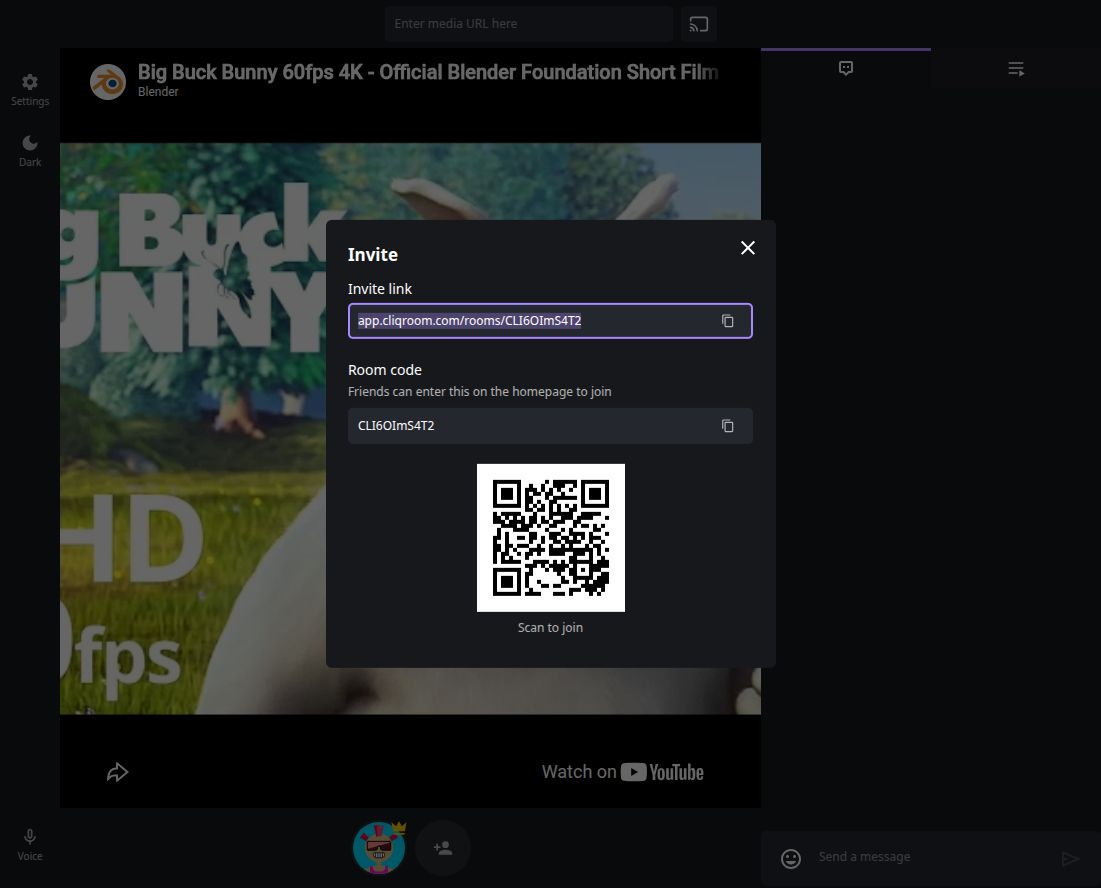
Ask someone who can still open the room to copy its link or code from Invite. Open the full link, or enter only the room code in the join field on the start screen.
Check the copied value for missing characters. If everyone has lost access to the old room, the owner can create a new room and share its new invitation.
The room is open, but messages or controls stop updating
Ask another participant whether their room still updates. If only your screen is affected, check that other pages load on your device, then reload the room or reopen its invitation.
Reopening the room attempts to join it again and load the current room state. Do not rely on the room reconnecting automatically after a lost connection. If you were using voice chat, select Voice again after reopening.
If chat and room controls still work but only the video stalls, use the playback guide instead. If a control is unavailable while the rest of the room works, ask the owner to check your role and room permissions in Settings.
The room says it expired, or you lose access
An expired room cannot be restored by repeatedly opening its old invitation. Create a new room and share the new link with the group.
A room owner or participant with moderation permission can remove or ban someone. If you think your access was changed, ask the owner to check the room’s member settings.
A join failure can also show a general error or an access message. Record the exact wording and ask whether the owner can still enter the room; the message alone may not explain whether the invitation, connection, or room access caused the failure.
Still unable to connect?
Tell support whether you cannot enter the room or whether an open room stopped updating. Include the error text, device and browser, whether other participants are affected, and what happened after reloading. Leave out private invitations, personal messages, and account details.